For individuals
The year goes fast.
Keep a record that lasts.
Your work deserves more than a last-minute memory test. Capture the facts now, keep them organized, and prepare your next draft from a record you trust.
01 / Capture
Tell it in your own words.
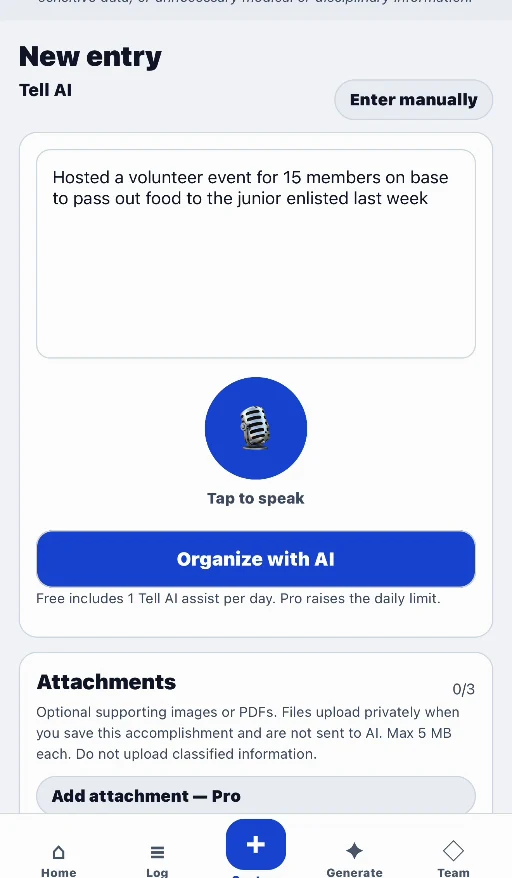
Use quick or detailed manual entry, or ask Tell AI to organize your description into a structured preview. Review what it captured, correct the details, then explicitly save.
- Speak or type the accomplishment.
- Keep a confirmed date and a concrete description.
- Save incomplete records under Needs details and finish them later.
02 / Organize
Find the right work,
not just the latest work.
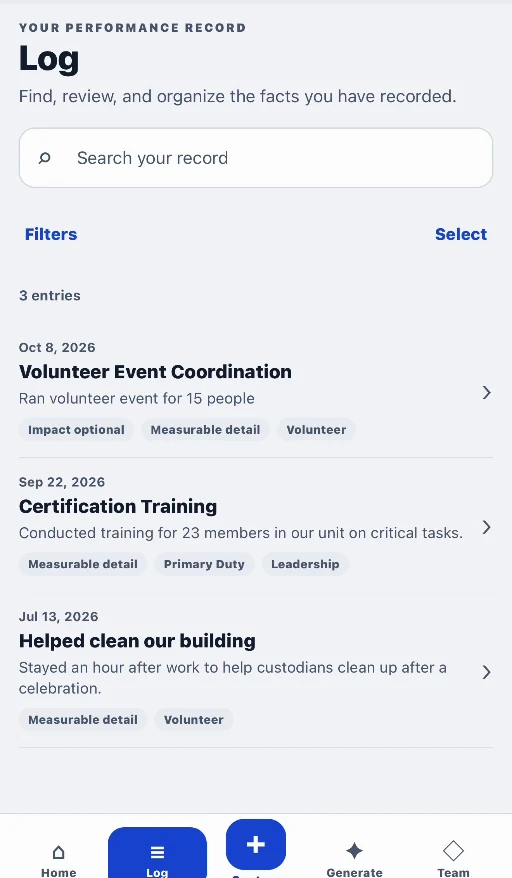
Use search and period/category filters to find the accomplishments that belong in a report or award. Keep supporting facts and measurable detail attached to the entry.
- Search saved accomplishments.
- Choose the period and the facts you need.
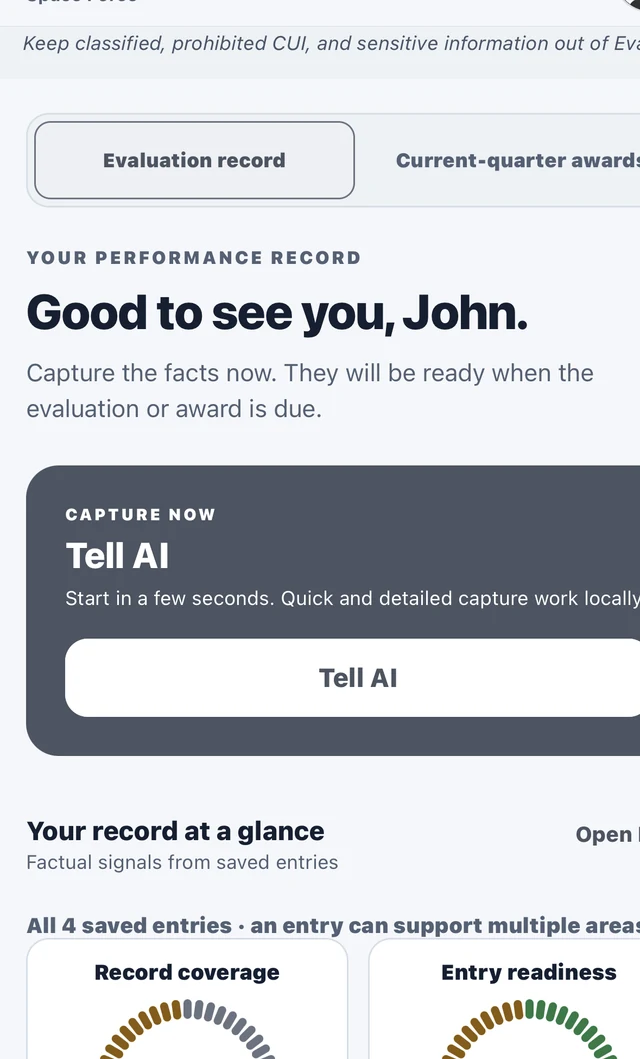
- See record-coverage and entry-readiness signals.
Coverage and entry readiness describe the completeness of your record. They are not official military readiness or performance ratings.
03 / Draft & revise
A first draft.
Not the last word.
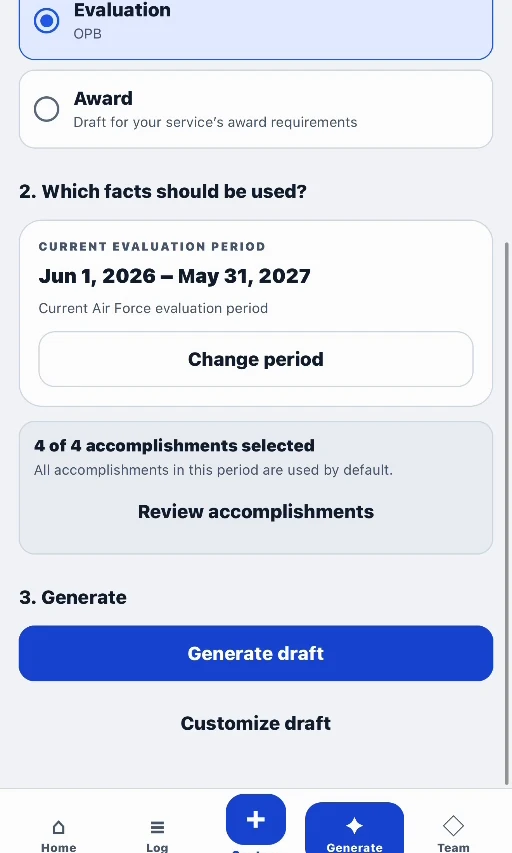
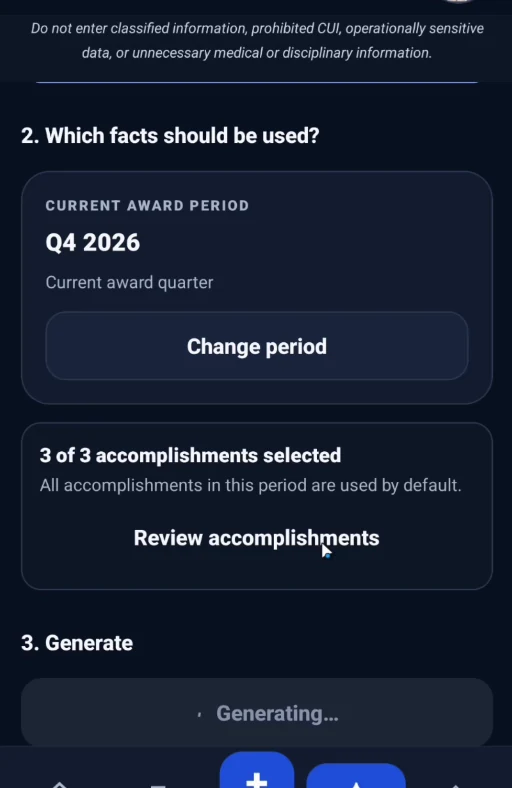
Choose the supported evaluation or award, select ready accomplishments, and generate a starting point. Read the full draft, make manual edits, or use Pro AI revision instructions.
- Service- and rank-aware evaluation and award paths.
- Focused editing with reachable Save and Cancel controls.
- Saved revisions and source context in Draft History.
- Route selected drafts for authorized Team review.
Save changes to create the next revision. Draft History is not a promise that every unsaved keystroke is retained. Restoring a saved revision creates a new revision rather than erasing earlier history.
04 / Keep useful copies
Your work.
Ready for the next step.
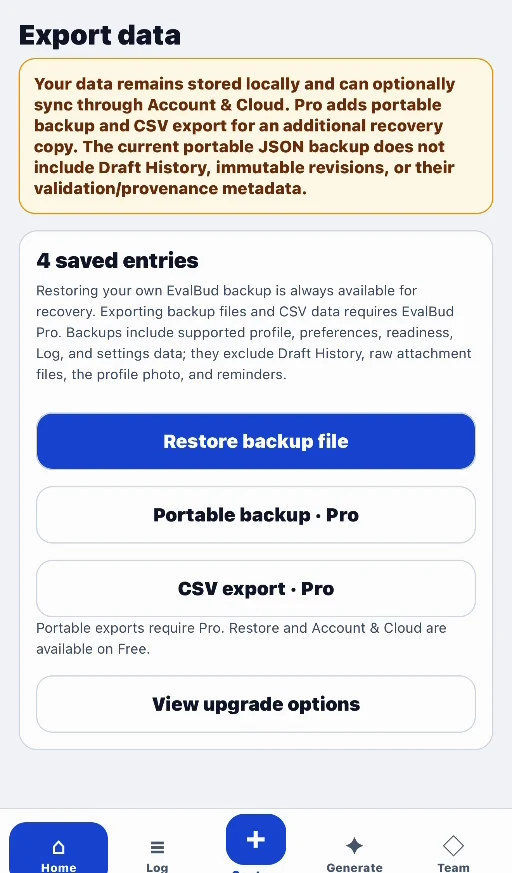
Copy or share reviewed text, use supported document exports, or create portable data files. The available action depends on the workflow, your plan, and the current revision’s permissions.
- Supported Personal DOCX and authorized Team document exports.
- Pro portable JSON backup and CSV export.
- Supported backup restoration remains available on Free.
Plan your draft
Turn saved facts into useful input.
Use our evaluation preparation checklist to choose work from the right reporting period, confirm results, and bring a draft to your reviewer.
Start with your record
Don’t start your next eval
from memory.
Capture the work now. Give yourself—and your reviewer—a better starting point later.
Free to download. Optional Pro subscription.
Store availability and pricing may vary.